
Phone repair extends device lifespan by fixing specific component failures, such as battery degradation, cracked screens, and faulty charging ports, that would otherwise force premature replacement. According to WhereToRepair.org, a targeted repair on a device that still meets core needs can add 12 to 24 months of reliable use. That is real time and real money saved. The environmental stakes are just as significant. A University of Waterloo study found that nearly two thirds of discarded electronics are still functional or have only minor problems. Understanding why phone repair extends device lifespan, and how to act on that knowledge, is the difference between a phone that lasts five years and one that ends up in a landfill after three.
Why phone repair extends device lifespan
Phone repair works by addressing the specific component that has failed, rather than discarding a device where most parts still function correctly. A smartphone contains a battery, display, charging port, speakers, buttons, and a logic board. When one of those parts fails, the rest of the device is often perfectly healthy. Replacing the entire phone to fix one broken part is like buying a new car because a tire went flat.

The industry term for this approach is component-level repair, and it is the foundation of device longevity. WhereToRepair.org confirms that many replacement decisions are driven by minor inconveniences rather than complete device failure. A phone that shuts down unexpectedly, charges slowly, or has a cracked screen still has a working processor, camera, and software. Fixing the single point of failure restores the full value of everything else.
The benefits of phone repair go beyond convenience. Repair preserves your data, your settings, your app history, and your familiarity with the device. It also costs significantly less than a new flagship phone, which can run $800 to $1,200 or more in 2026.
What common phone repairs most effectively extend lifespan?
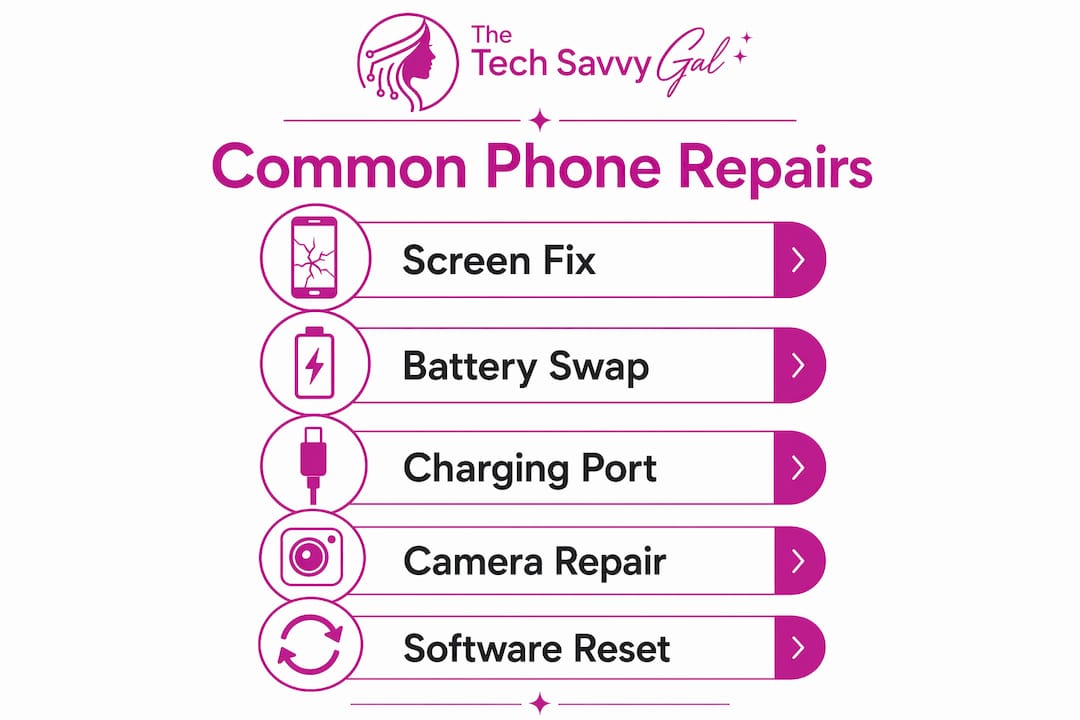
Component repairs like screen replacements, battery swaps, charging port fixes, speaker repairs, and button replacements are usually worth doing when the phone still meets your daily needs. Each of these repairs targets a specific failure mode that would otherwise make the device unusable.
Here is how each repair type contributes to longer device life:
- Battery replacement: A degraded battery causes unexpected shutdowns, slow performance, and unreliable daily use. Battery replacement restores consistent performance by eliminating the erratic behavior that makes a phone feel "old." This single repair is responsible for more lifespan extensions than any other fix.
- Screen repair: A cracked screen is not just cosmetic. Exposed glass allows moisture and debris to enter the device, which can damage internal components over time. Fixing a cracked screen early prevents secondary failures that are far more expensive to address.
- Charging port repair: A faulty charging port means the phone cannot reliably receive power. Left unaddressed, this forces users into workarounds like wireless charging pads or replacement cables that stress the battery further. A clean port repair solves the root problem fast.
- Speaker and microphone repairs: These components affect call quality and media use. When they fail, the phone becomes frustrating to use for its primary purpose. Repair restores full usability without touching any other part of the device.
- Button repairs: A broken power button or volume rocker makes basic navigation difficult. These are low-cost repairs that have an outsized impact on daily usability.
Pro Tip: Address screen cracks within the first week. A hairline crack that costs $80 to fix today can become a shattered display with moisture damage that costs $250 or more if left for a month.
How does battery health management complement repairs?
Battery health is the single most important factor in how long a phone feels useful. Lithium-ion batteries, which power every modern smartphone, degrade faster when held at 100% charge for extended periods. This is not a design flaw. It is a chemical property of lithium-ion cells that no software update can fully eliminate.
Apple recognized this and built a meaningful solution into iOS. Setting a Charge Limit of 80 to 85 percent on iPhone 15 and later models reduces battery wear by stopping the charge cycle before it reaches full capacity. This feature, available in iOS 26, represents a real advancement in how software can protect hardware longevity. Android manufacturers including Samsung and Google have added similar optimized charging features to their flagship devices.
Here is a practical sequence for managing battery health alongside timely repairs:
- Enable optimized or limited charging on your device to reduce wear from daily charging cycles.
- Monitor battery capacity in your phone's settings. Apple's Battery Health screen shows your current maximum capacity as a percentage.
- Schedule a battery replacement when capacity drops below 80 percent. At that threshold, performance throttling and unexpected shutdowns become common.
- Replace the battery proactively before it crosses critical wear thresholds. A timely replacement prevents the degraded user experience that makes people feel they need a new phone.
- Use quality replacement parts. A cheap third-party battery can degrade faster than the original and may not communicate accurately with the phone's battery management system.
"Battery replacement is less about raw speed gains and more about restoring consistent performance and reliability throughout normal usage cycles." — TechLab Repairs, 2026
AppleCare+ covers battery replacement when capacity falls below 80 percent, making it a cost-effective option for iPhone users who want professional service. For those outside warranty, certified independent repair shops offer the same quality at a lower price point.
Repair versus replacement: which actually makes sense?
The repair vs replacement decision involves more than comparing a repair quote to a new phone price. Replacement carries hidden costs and friction that most people underestimate until they are in the middle of the process.
| Factor | Repair | Replacement |
|---|---|---|
| Cost | Typically $50–$250 depending on component | $800–$1,200 for a new flagship |
| Time | Same-day in many cases | Days to weeks including setup |
| Data | Preserved automatically | Requires migration and backup |
| Accessories | Existing cases and chargers still work | Often requires new accessories |
| Environmental impact | Keeps device out of landfill | Adds to e-waste stream |
| Learning curve | None, same device | New interface, settings, and layout |
Replacement often involves significant extra costs and inconvenience from research, setup, data migration, and accessory changes that the sticker price does not reflect. A $999 phone purchase can easily become a $1,200 experience once you add a new case, screen protector, and the hours spent reconfiguring your apps and settings.
The environmental argument for repair is equally strong. The University of Waterloo study found that most discarded devices are still functional or need only minor fixes. Choosing repair over replacement reduces e-waste and the carbon footprint associated with manufacturing new devices.
Pro Tip: Before you buy a new phone, get a repair quote first. A same-day repair quote takes five minutes and gives you a concrete number to compare against the full cost of replacement, including accessories and setup time.
The repair-first decision framework is straightforward. If your phone still meets your core needs, the issue is a single-point failure, and the repair cost is less than 50 percent of a comparable replacement, repair is almost always the smarter choice.
How to maximize your phone's lifespan through maintenance and timely repairs
Extending your phone's life is not just about fixing things when they break. It is about building habits that reduce the rate of wear and catching problems before they compound. High-quality repairs from experienced technicians with warranties reduce the risk of repeat failures and add more value to device life extension than budget repairs from unverified sources.
Here are the most effective phone longevity tips you can act on today:
- Fix minor faults quickly. A small charging port issue that causes intermittent connectivity can, if ignored, lead to battery stress and logic board corrosion. Small repairs prevent large ones.
- Use a quality case and screen protector from day one. Physical protection is the cheapest form of phone maintenance available.
- Follow battery charging best practices. Enable optimized charging, avoid overnight charging on a full battery, and keep your phone away from extreme heat, which accelerates lithium-ion degradation faster than almost any other factor.
- Choose repair providers who offer warranties. A warranty on a repair is a signal that the technician stands behind their work and used quality parts. Avoid shops that offer no guarantee.
- Assess repair value based on device age and your actual usage needs. A three-year-old phone that still handles calls, messaging, and your key apps is a strong repair candidate. A six-year-old device that no longer receives security updates is a different calculation.
- Consider donating or recycling your old device when you do eventually upgrade. Many organizations accept working phones for redistribution, and certified e-waste recyclers handle non-working devices responsibly.
You can find more guidance on specific repair decisions at The Tech Savvy Gal blog, which covers everything from screen repair timing to battery health management in plain language.
Pro Tip: If your phone is between two and four years old and experiencing a single issue, repair is almost always the right call. That age range is the sweet spot where the device still has years of useful life left and the repair cost is a fraction of replacement.
Key takeaways
Phone repair extends device lifespan by targeting the specific component that has failed, preserving the value of every other part of the device and adding 12 to 24 months of reliable use at a fraction of replacement cost.
| Point | Details |
|---|---|
| Component repair adds real time | Fixing a single failure like a battery or screen adds 12–24 months of use to a functional device. |
| Battery health is the top priority | Replace your battery before it drops below 80% capacity to prevent performance issues and perceived obsolescence. |
| Repair beats replacement on cost | Repair typically costs $50–$250 versus $800–$1,200 for a new flagship, with no data migration or accessory costs. |
| Most discarded phones still work | Nearly two thirds of electronics are thrown away while still functional or needing only minor repairs. |
| Quality repairs reduce repeat failures | Warranty-backed repairs from certified technicians protect your investment and extend the value of each fix. |
Why I think repair is almost always the smarter first call
I have seen a lot of phones come through the door at The Tech Savvy Gal, and the pattern is consistent. Most people who think they need a new phone actually need a battery replacement or a screen fix. The phone itself is fine. The component is not.
What surprises people most is how much better their phone feels after a battery swap. Not faster in a benchmark sense, but reliable in the way it used to be. No more unexpected shutdowns at 30 percent. No more throttling during a video call. That restored reliability is what people were actually missing, not a new device.
The repair-first approach also counters something I find genuinely frustrating: the industry push toward replacement. Carriers and retailers have real economic incentives to get you into a new device on a new contract. That is not a conspiracy. It is just business. But it means the advice you get from a carrier store is not always the advice that serves your interests. An honest repair shop will tell you when a device is not worth fixing. A carrier rarely will.
My honest recommendation is this: before you spend $1,000 on a new phone, spend five minutes getting a repair quote. You might find that a $120 battery replacement gives you two more years of reliable use from a device you already know and trust. That is a good outcome for your wallet, your time, and the environment.
If you want to read more about specific repair decisions, the cracked screen repair guide on The Tech Savvy Gal blog walks through the repair vs. replace calculation in detail.
— Gwensheca
Get your phone repaired fast at The Tech Savvy Gal
If your phone has a cracked screen, a struggling battery, a faulty charging port, or any other component issue, The Tech Savvy Gal is ready to help. Based in Denton, TX, the team offers same-day repairs backed by a warranty, using quality parts and certified technicians who know what they are doing.

You do not have to guess whether repair is worth it. Bring your device in or reach out for a fast, honest quote. The Tech Savvy Gal's phone repair services cover screens, batteries, charging ports, speakers, and more. For Denton-area residents, local repair in Denton is available today. Skip the replacement cost and give your phone the fix it actually needs.
FAQ
How much lifespan does a phone repair actually add?
A targeted repair on a device that still meets your core needs can add 12 to 24 months of reliable use. The exact gain depends on the repair type, the device's age, and whether the rest of the hardware remains functional.
When should I replace a phone instead of repairing it?
Replacement makes sense when the device no longer receives security updates, has multiple simultaneous failures, or when the repair cost exceeds 50 percent of a comparable replacement. A single-point failure on a device that otherwise meets your needs is almost always a repair candidate.
Does battery replacement really make a phone feel new again?
Battery replacement restores consistent performance and eliminates unexpected shutdowns, which are the two most common symptoms of an aging phone. Most users report that their device feels significantly more reliable after a quality battery swap.
How do I know when my iPhone battery needs replacing?
Check Battery Health in your iPhone settings. Apple recommends battery replacement when capacity falls below 80 percent. At that level, performance throttling and erratic shutdowns become common during normal daily use.
Does repairing a phone reduce e-waste?
Yes. Repair keeps functional devices out of the waste stream. A University of Waterloo study found that most discarded electronics are still working or need only minor fixes, meaning repair is one of the most direct ways individuals can reduce their personal contribution to e-waste.