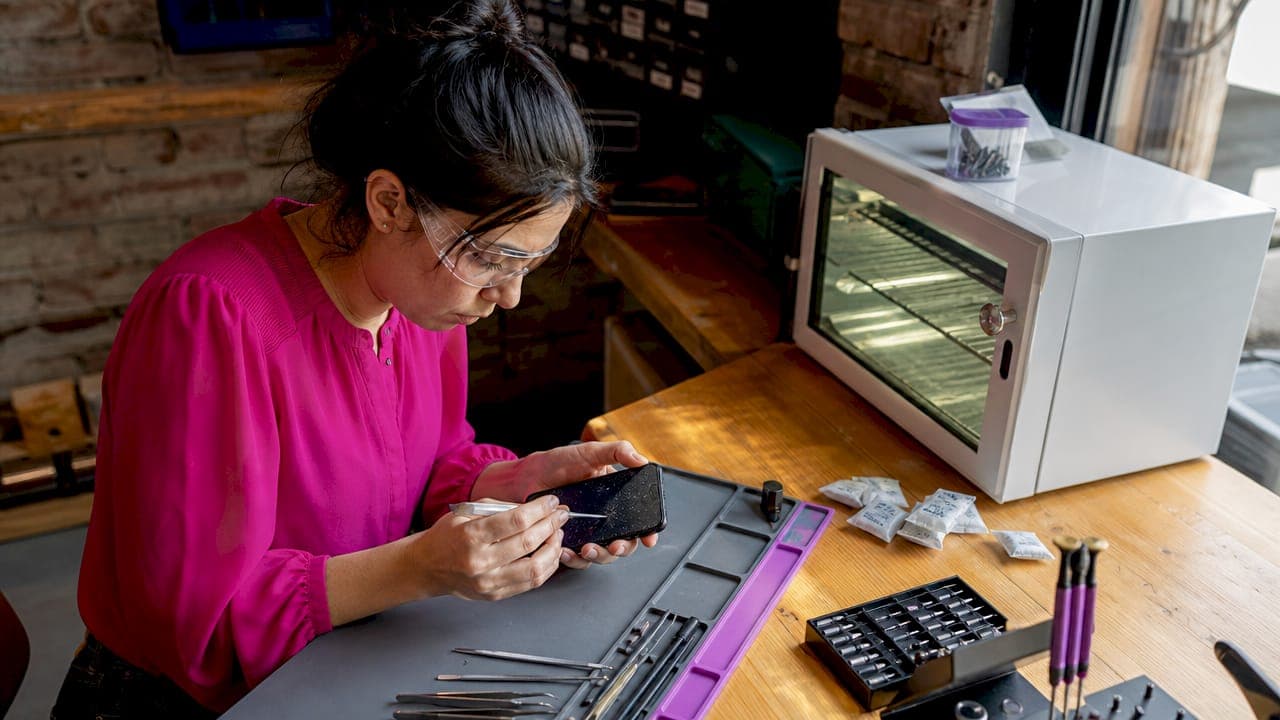
Liquid phone damage refers to the distinct ways that water, beverages, and other fluids harm a smartphone's internal and external components, each producing different symptoms and requiring specific repair approaches. Approximately 25% of smartphone users have experienced some form of liquid exposure, making this one of the most common repair situations in the industry. The types of liquid phone damage range from immediate electrical failure to slow corrosion that shows up weeks later. Knowing which type you are dealing with determines whether a quick dry is enough or whether professional intervention is the only path to recovery. Apple and Samsung both exclude liquid damage from standard warranties, even on IP68-rated devices.
1. Types of liquid phone damage: short-circuiting
Short-circuiting is the most immediate and dangerous form of liquid damage a phone can experience. It occurs when liquid creates unintended electrical pathways across circuits that were never designed to carry that current. The result is sudden, often irreversible failure of the logic board, display driver, or charging controller.
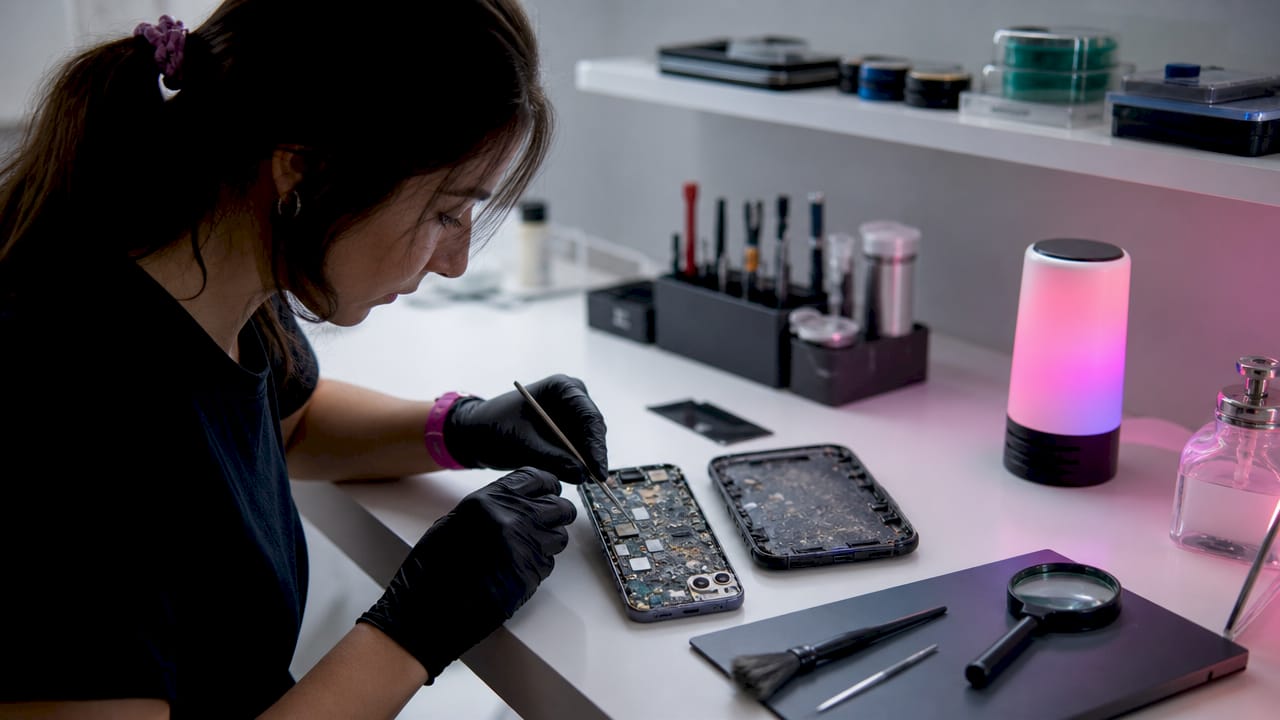
Short-circuiting happens immediately when liquid contacts live electrical components, and the damage compounds every second the phone stays powered on. Many people instinctively press the power button to check if the phone still works. That single action can destroy a device that would otherwise have been fully recoverable.
Common symptoms of short-circuit damage include:
- Sudden, complete power loss with no response to charging
- Random shutdowns or restarts within seconds of powering on
- A burning smell or unusual heat near the charging port
- Unresponsive touchscreen despite the phone appearing to turn on
- Visible burn marks on the SIM tray or charging connector
Pro Tip: Power the phone off immediately after liquid exposure and do not attempt to charge or test it. Attempting to power on or charge a wet phone creates immediate short-circuit damage that often destroys the logic board beyond repair.
2. Corrosion damage: the slow killer inside your phone
Corrosion is the type of liquid damage that catches most people off guard. The phone seems fine after drying, then starts failing days or weeks later. This happens because water leaves behind mineral deposits, primarily calcium and magnesium, that trigger galvanic corrosion across metal contacts and circuit traces.
Mineral residue left after water evaporation causes galvanic corrosion that degrades components long after the liquid is gone. Salt water, chlorinated pool water, and sugary drinks accelerate this process significantly compared to plain tap water. Manufacturers do not cover liquid damage under warranty, and corrosion is one of the primary reasons phones fail inspection when submitted for warranty claims.
Delayed symptoms of corrosion include:
- Flickering or discolored display appearing days after the incident
- Intermittent charging failures or the phone only charging at certain angles
- Distorted or muffled audio from speakers and microphones
- Sudden battery drain that worsens over a period of weeks
- Green or white residue visible on the SIM tray or charging port
Professional repair centers use specialized ultrasonic cleaning to neutralize corrosive mineral deposits that remain after drying. This is the only method proven to fully remove invisible corrosion from a phone's motherboard. DIY drying, even with silica gel, cannot reach the microscopic deposits bonded to circuit traces.
Standard home drying simply is not enough to stop corrosion. The minerals bond to metal surfaces as the water evaporates, and no amount of air drying removes them. A professional ultrasonic cleaning bath is the only way to fully address this type of damage before it becomes permanent.
3. Display and camera damage from liquid ingress
Liquid that reaches the display assembly or camera module causes visible, often permanent damage to two of the most expensive components in any smartphone. The effects of liquid on phone screens and cameras are distinct from electrical failure, but they are just as disruptive to daily use.
Moisture trapped inside cameras produces blurry photos and visible droplets under the lens glass. This is not a software issue and cannot be fixed with a camera reset. The moisture either evaporates on its own if caught early, or it leaves residue that permanently fogs the optical elements.
Watch for these display and camera symptoms after phone exposure to liquid:
- Fogging or condensation visible beneath the screen glass
- Dead pixels or dark patches spreading from the edges inward
- Pink, green, or yellow discoloration across sections of the display
- Ghost touching, where the screen registers taps with no physical contact
- Blurry or hazy photos even in bright lighting conditions
When ghost touching occurs, the digitizer layer has been compromised by moisture. This symptom often leads people to believe their phone has a software problem, but the cause is physical. A screen replacement is typically required once the digitizer layer is damaged. Getting the phone to a repair technician quickly gives the best chance of saving the display before corrosion sets in on the connectors.
4. Speaker and microphone failure caused by liquids
Speakers and microphones fail after liquid ingress because their mesh grilles and internal membranes are directly exposed to the phone's exterior. Water enters through these openings easily, and the thin membranes inside are highly sensitive to moisture and residue.
The audio symptoms that follow liquid exposure are often mistaken for software glitches or Bluetooth connectivity issues. Muffled sound during calls, distorted music playback, and a microphone that cuts in and out are all signs of physical liquid damage to the audio hardware.
Common audio damage symptoms include:
- Muffled or crackling sound from the bottom speaker
- No audio output despite volume being set to maximum
- Microphone not picking up voice during calls or recordings
- Earpiece speaker producing distorted sound during phone calls
- Notification sounds playing at reduced volume or not at all
One mistake people make is pressing the speaker grilles repeatedly to try to push water out. This forces moisture deeper into the membrane and can introduce lint or debris from pockets and towels. Heat-based drying methods are destructive and cause additional damage to sensitive internal components, including speaker membranes. The right approach is gentle air drying followed by professional cleaning if audio issues persist beyond 24 hours.
Pro Tip: Never use a hair dryer or compressed air directly into speaker grilles after liquid exposure. Heat warps the membrane and high-pressure air drives moisture further into the audio assembly.
5. Battery damage and swelling from liquid penetration
Battery damage from liquid exposure is one of the most serious safety concerns in phone repair. Battery damage includes swelling and rapid discharge caused by liquid contact, and a swollen lithium-ion battery poses a genuine fire and chemical hazard.
Liquid reaches the battery through the charging port, speaker grilles, or compromised seals. Once inside, it reacts with the battery's internal chemistry, causing gas buildup that physically expands the battery cell. This is visible as a bulge pushing against the back panel or screen.
Signs of battery damage requiring urgent attention:
- Physical bulge or warping on the back of the phone
- Phone becoming unusually hot during normal use or charging
- Battery percentage dropping from 80% to 20% within minutes
- Phone shutting down unexpectedly at battery levels above 30%
- Swollen battery pressing against the display, causing screen separation
Do not continue using a phone with a visibly swollen battery. The risk of thermal runaway, where the battery overheats and ignites, is real and well-documented in lithium-ion cells. A certified technician should inspect and replace the battery before the phone is used again. This is not a repair to delay.
6. Comparing liquid damage types and recovery options
Understanding the differences between liquid damage types helps you prioritize the right response. Not all water damage is equal, and the recovery timeline and success rate vary significantly depending on which components were affected.
| Damage type | Primary symptom | Urgency | Best recovery action |
|---|---|---|---|
| Short-circuiting | Sudden power loss, no response | Immediate | Power off, do not charge, seek repair |
| Corrosion | Delayed failures, flickering screen | Hours to days | Professional ultrasonic cleaning |
| Display and camera | Fogging, dead pixels, blurry photos | Within 24 hours | Technician inspection, possible replacement |
| Speaker and microphone | Muffled or no audio | Within 24 hours | Professional cleaning or part replacement |
| Battery swelling | Bulge, overheating, rapid drain | Immediate | Stop use, battery replacement required |
Effective recovery requires a 24 to 48 hour drying protocol in a low-humidity environment using silica gel packets, not rice. The rice method is a persistent myth. Rice moisture absorption is negligible compared to silica gel, and starch residue can actually accelerate corrosion by trapping moisture against circuit boards. Silica gel packets, available at most hardware stores, are the correct tool for this step.
Pro Tip: Place your phone in a sealed bag or container with several silica gel packets for 24 to 48 hours before attempting to power it on. This reduces residual moisture significantly and improves the odds of a successful professional repair.
Water resistance also degrades with time and wear, meaning older phones are more vulnerable to liquid ingress even if they originally carried an IP68 rating. A two-year-old iPhone 15 or Samsung Galaxy S24 has seals that have been compressed, flexed, and exposed to heat cycles. That IP68 label no longer reflects the phone's actual protection level. For more on what to do in the critical first window after exposure, the guide on water damage first steps covers the timeline in detail.
Key takeaways
Different types of liquid phone damage require different responses, and acting within the first hour determines whether professional repair succeeds or fails.
| Point | Details |
|---|---|
| Short-circuit is the most urgent | Power off immediately and never charge a wet phone before professional inspection. |
| Corrosion appears days later | Ultrasonic cleaning is the only method that fully removes mineral deposits from circuit boards. |
| Rice is ineffective | Use silica gel packets instead; rice leaves starch residue that worsens corrosion. |
| Battery swelling is a safety risk | Stop using the phone immediately and have the battery replaced by a certified technician. |
| IP ratings are not permanent | Seal degradation over time makes older phones far more vulnerable to liquid ingress. |
What I've learned from seeing liquid damage every day
I have seen hundreds of phones come through the door after liquid exposure, and the pattern is always the same. The phones that survive are the ones where the owner did nothing. They powered it off, set it down, and called us. The phones that don't make it are the ones where someone spent 20 minutes trying to turn it on, plugged it in to see if it would charge, or dropped it in a bowl of rice overnight.
The biggest misconception I see in 2026 is that IP ratings make phones waterproof. They do not. IP68 means the phone passed a controlled lab test at a specific depth and duration. It does not account for the seal degradation that happens after a year of daily use, drops, and temperature changes. I have repaired Samsung Galaxy and Apple iPhone models with IP68 ratings that failed from a simple splash because the seals were worn.
Corrosion is the damage type that frustrates me most to see, because it is almost always preventable. A phone that gets wet and seems fine is not fine. The minerals are already bonding to the circuit board. Owners wait two weeks, the phone starts flickering, and by the time they bring it in, the corrosion has spread across multiple components. Early professional cleaning after any liquid exposure, even if the phone appears to work, is the single best decision you can make.
My honest advice: treat every liquid exposure as serious, regardless of how brief it was or how water-resistant your phone is supposed to be. The cost of a professional diagnostic is always less than the cost of a full replacement.
— Gwensheca
Get your phone repaired fast in Denton, TX
If your phone has been exposed to liquid, The-tech-savvy-gal is ready to help. The team at The-tech-savvy-gal offers same-day diagnostics and liquid damage recovery using professional-grade tools, including ultrasonic cleaning for corrosion and certified battery replacement for swelling. Every repair comes with a warranty, and the technicians prioritize protecting your data throughout the process.
Denton locals trust The-tech-savvy-gal for fast, honest, and affordable service. Whether you are dealing with a short-circuit, a fogged camera, or a swollen battery, the team can assess the damage and give you a clear answer the same day. Visit the repair services page to see what is covered, or stop by for a free diagnostic at the Denton, TX location. Do not wait. Liquid damage gets worse with every hour.
FAQ
Does IP68 mean my phone is waterproof?
No. IP68 means the phone passed a controlled lab test at a set depth and duration. Water resistance degrades over time with normal wear, making older phones significantly more vulnerable to liquid ingress.
How do I know if my phone has corrosion damage?
Corrosion symptoms appear days or weeks after liquid exposure and include flickering screens, charging failures, and muffled audio. A professional technician can confirm corrosion during a diagnostic inspection.
Is the rice method safe for drying a wet phone?
No. The rice method is disproven and actively discouraged by repair technicians. Starch residue from rice can trap moisture and accelerate corrosion. Use silica gel packets instead.
When should I stop using my phone after liquid exposure?
Stop immediately if you notice a swollen battery, unusual heat, or the phone shuts down unexpectedly. Battery swelling poses a safety risk and requires urgent professional replacement before the device is used again.
Can a water-damaged phone be fully repaired?
Many phones recover fully with fast professional intervention, especially when the owner powers off the device immediately and avoids charging it. Success rates drop significantly when corrosion has spread or the logic board has been short-circuited by premature power-on attempts.